Switching Between Workflows
Depending on the transaction and your institution’s license key, it may be possible to navigate back and forth between different Simplicity Runtime data collection workflows. For example, a deposit transaction may allow you to move between data collection screens for Simplicity Runtime - Deposits and Simplicity Runtime - TFA. A commercial lending transaction may allow you to move between data collection screens for Simplicity Runtime - Loans and Simplicity Runtime - Payment Calculations.
Deposit and TFA Transactions
IRA, ESA, or HSA transactions—collectively referred to as Tax Favored Account or TFA transactions—are typically funded through various investment vehicles, including deposit accounts. To document such transactions, information is required on both the deposit and the TFA accounts.
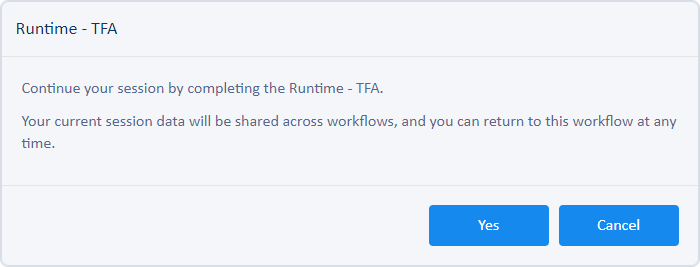
When you are working with a transaction in Simplicity Runtime - Deposits, a Switch to Runtime - TFA tab may be available. When you click that tab, you are prompted to continue or cancel the action. All data you have entered in the current workflow is automatically saved when you switch to the next workflow. Upon entering the TFA workflow, you can switch back to the Deposit workflow by clicking the Switch to Runtime - Deposits tab. You can switch back and forth between workflows as often as necessary.
Lending and Payment Calculations Transactions
Information pertaining to payment structures and rate streams is captured and automatically calculated in Simplicity Runtime - Payment Calculations. All other information pertaining to the loan is captured in Simplicity Runtime - Loans. If the Switch to Runtime - Payment Calculations tab is not available, payment and rate stream information must be collected in your platform system prior to launching Simplicity Runtime.
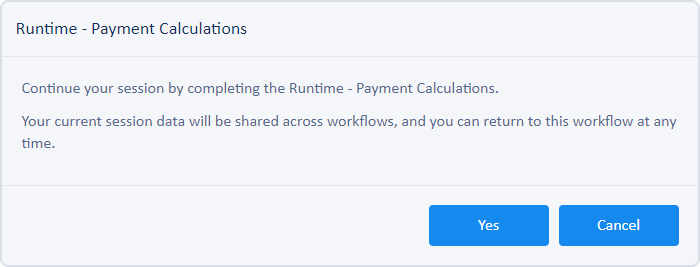
When you are working with a transaction in Simplicity Runtime - Loans, a Switch to Runtime - Payment Calculations tab may be available. When you click that tab, you are prompted to continue or cancel the action. All data you have entered in the current workflow is automatically saved when you switch to the next workflow. Upon entering the Payment Calculations workflow, you can switch back to the Loans workflow by clicking the Switch to Runtime - Loans tab. You can switch back and forth between workflows as often as necessary.