Signature Block Overrides Tab – Commercial Lending
Prior to version 2.99 of Simplicity Runtime, rendering signature blocks on commercial lending documents correctly could be challenging. The signers and levels of indent in the signature blocks depended on the entities, roles, and associations defined on the Entities tab in Simplicity Runtime. Workarounds were sometimes necessary to get the right results, and the only way to view and verify signature blocks was to render and preview the entire document set.
Simplicity Runtime now includes a Signature Block Overrides tab to provide you with greater control over document signature blocks in commercial transactions. You can create and preview signature blocks in commercial transactions for the following entity roles: Borrower, Guarantor, Hypothecator, Resolving Party Certifier, and Signing Agent. Please note that you can use Simplicity Runtime in the same way as before, since this feature does not change or replace existing functionality.

Using the Signature Block Overrides Tab
Click the Expand icon  for a main entity section, and then click an entity name. The right side of the screen displays a visual representation of the signature block you are building.
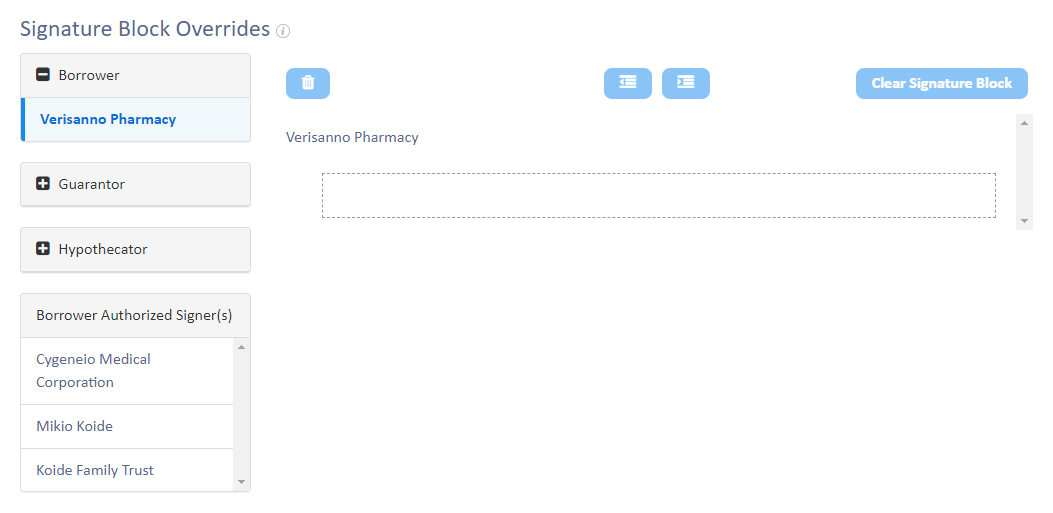
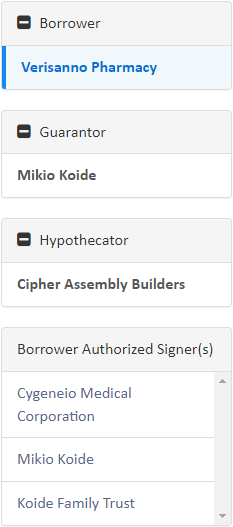
In this example, a Borrower Authorized Signer(s) section is displayed under the main entity sections with the name of each entity in the current transaction assigned with that role.
Click and drag the name of the entity signing on behalf of the main entity from the Borrower Authorized Signer(s) section to the box under the main entity's name.
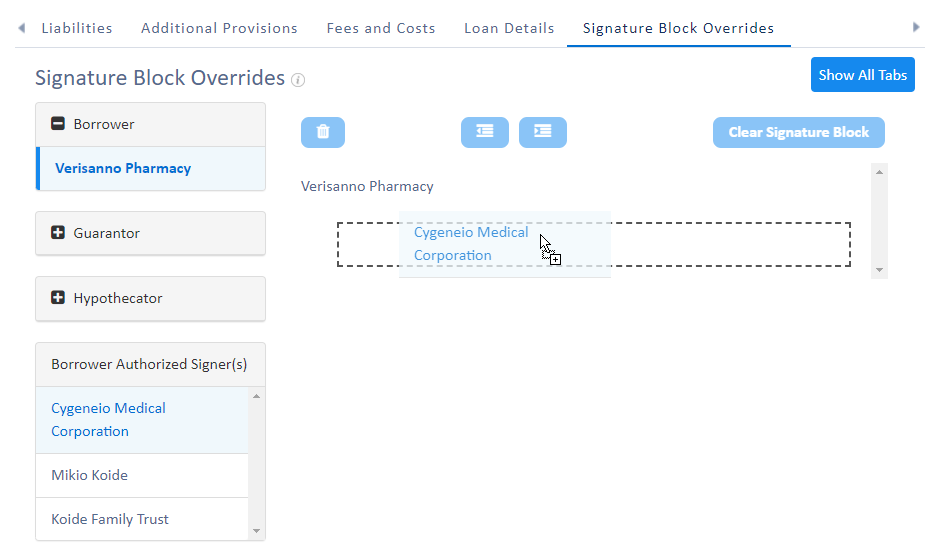
The Borrower Authorized Signer is automatically indented one level. You are required to provide a capacity description for each signing entity.

Drag entities to the signature block until all of the required signers appear in the proper order.

To adjust the indent level of an entity, click the name of the entity you want to adjust, and then click the Decrease Indent Level  icon or Increase Indent Level
  icon as needed. Please note that the current maximum indent level is 7.

When you configure a signature block for one main entity type, you must also configure a signature block for each remaining entity of the same type that is taking part in the transaction.
To remove an entity from the signature block, click the name of the entity you want to remove, and then click the Remove Entity icon  . You can click the Clear Signature Block button
  to remove all signature block configurations you have made for the selected main entity.
Simplicity Runtime saves all signature block configurations you make, so they are available for subsequent sessions for the same loan transaction. Once you have configured signature blocks for all required entities, you can preview the document package for the transaction.
Related Resources